
GMC Sierra 1500 Key Fob Battery Replacement
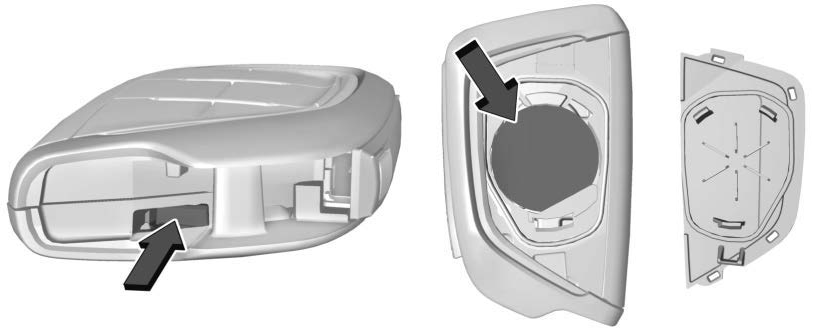
The factory remote uses a CR2450 lithium coin cell with the positive side up. The manual also shows the backup starting position for both front-seat layouts.
Battery and polarity
2023 Sierra 1500
CR2450 lithium · positive side up. Battery and cover diagrams · Backup starting diagrams.
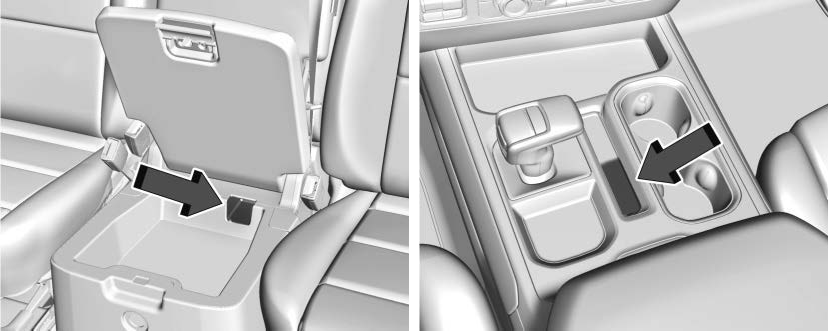
Where to place the fob for backup starting
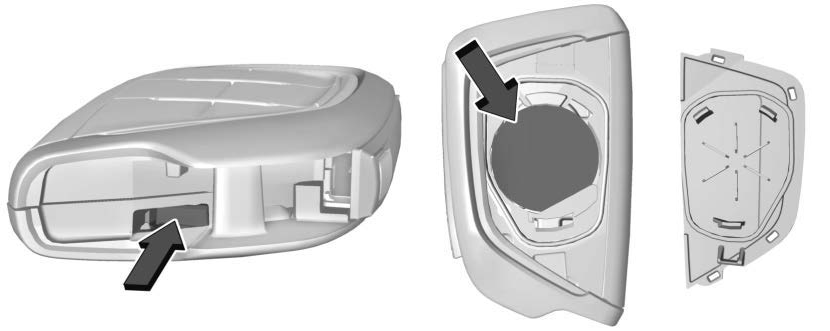
2024 Sierra 1500
CR2450 lithium · positive side up. Battery and cover diagrams · Backup starting diagrams.
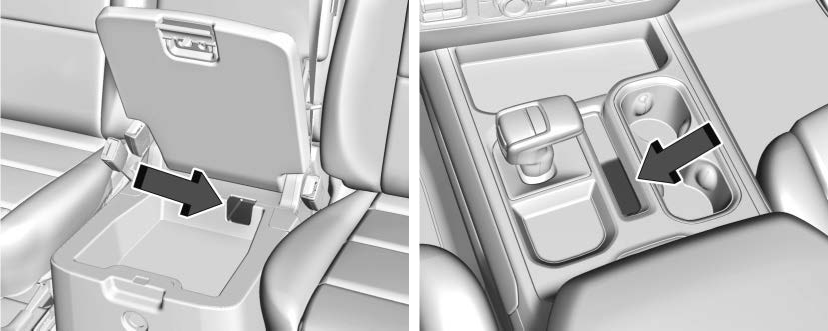
Where to place the fob for backup starting
2025 Sierra 1500
CR2450 lithium · positive side up. Battery and cover diagrams · Backup starting diagrams.
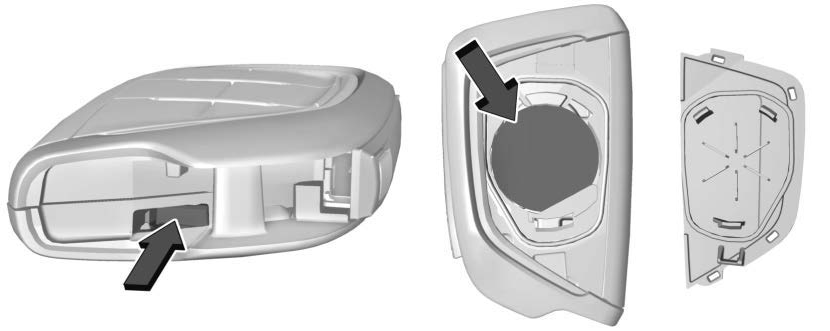
Where to place the fob for backup starting
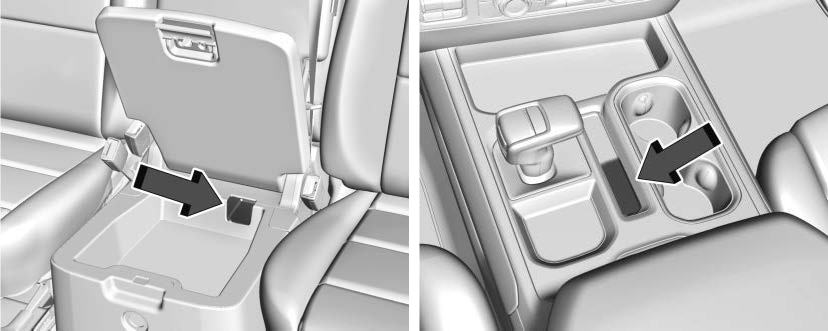
Replace the battery
- Press the release and withdraw the mechanical key blade.
- Use the blade in the designated slot to loosen the rear cover by hand.
- Lift the cover and pull the seal by its tab. Remove the old cell without using a metal tool against it.
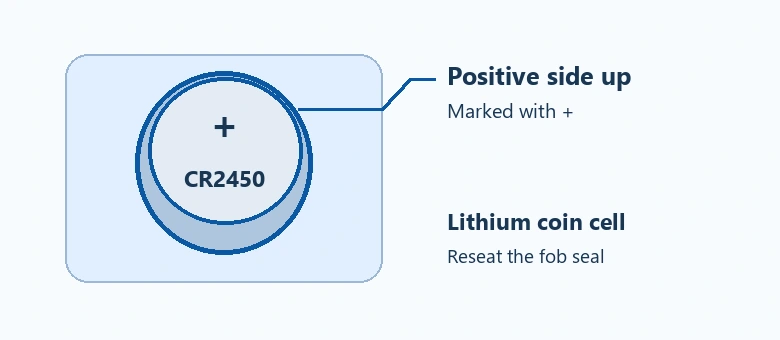
- Fit the CR2450 with the positive side up. Reseat the seal in the groove, snap the cover in place, and return the key blade.
Keep loose coin cells away from children. If swallowed or inserted, seek emergency medical help immediately.
Start the truck with a weak fob battery
If the truck shows NO KEY FOUND or NO REMOTE KEY WAS DETECTED, locate the remote key pocket in the center storage area. Match the manual illustration to your layout with or without bucket seats. Put the fob in that pocket. With the transmission in Park or Neutral, press the brake and use ENGINE START/STOP.
If the remote still fails
| Symptom | Next check |
|---|---|
| Buttons stopped working after battery replacement | Match the cell code and polarity to the manual. Check that the cell is seated and the cover is fully closed. |
| The spare remote still works | Check the first fob and its battery. Test both at the same place near the vehicle. |
| The dashboard says NO KEY FOUND | Put the remote in the vehicle’s designated transmitter pocket. Use the exact pocket position from your manual and start normally. |


