
GMC Terrain Key Fob Battery Replacement
Identify the coin cell and the positive-side orientation before you open the remote.
Key Fob Battery Replacement by model year
2026 GMC Terrain

- Battery
- CR2450 lithium
- Positive (+) side
- Up
- Open the battery cover as shown in the manual for your remote. Release and remove the mechanical key first if the illustration shows one.
- Remove the old battery. Avoid touching the circuit board or bending the battery contacts.
- Install a fresh CR2450 lithium. Positive (+) side: up.
- Close the remote and test lock and unlock at the vehicle.
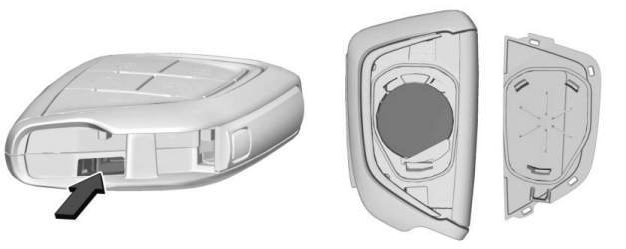
Start with a weak remote battery
Place the remote key in the center console. With the vehicle in Park or Neutral, press the brake pedal and ENGINE START/STOP.
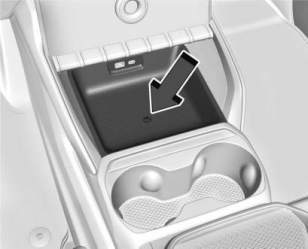
2025 GMC Terrain
- Battery
- CR2450 lithium
- Positive (+) side
- Up
- Open the battery cover as shown in the manual for your remote. Release and remove the mechanical key first if the illustration shows one.
- Remove the old battery. Avoid touching the circuit board or bending the battery contacts.
- Install a fresh CR2450 lithium. Positive (+) side: up.
- Close the remote and test lock and unlock at the vehicle.
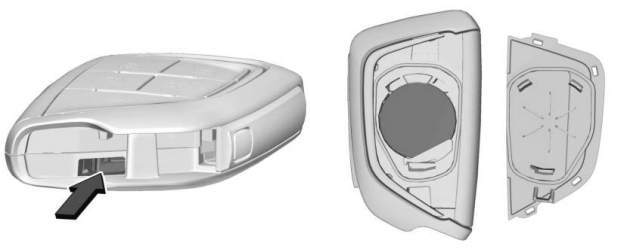
Start with a weak remote battery
Place the remote key in the center console. With the vehicle in Park or Neutral, press the brake pedal and ENGINE START/STOP.
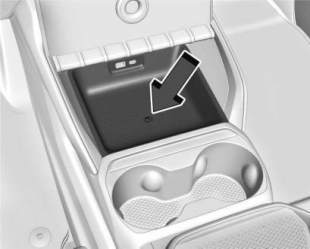
2024 GMC Terrain
- Battery
- CR2032
- Positive (+) side
- Toward the back cover
- Open the battery cover as shown in the manual for your remote. Release and remove the mechanical key first if the illustration shows one.
- Remove the old battery. Avoid touching the circuit board or bending the battery contacts.
- Install a fresh CR2032. Positive (+) side: toward the back cover.
- Close the remote and test lock and unlock at the vehicle.
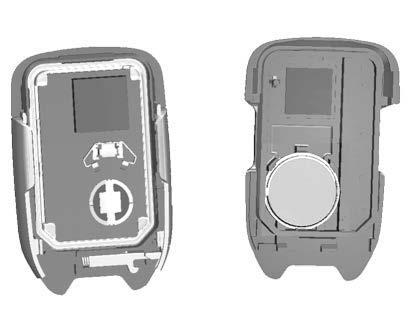
2015 GMC Terrain
- Battery
- CR2032
- Positive (+) side
- Up
- Open the battery cover as shown in the manual for your remote. Release and remove the mechanical key first if the illustration shows one.
- Remove the old battery. Avoid touching the circuit board or bending the battery contacts.
- Install a fresh CR2032. Positive (+) side: up.
- Close the remote and test lock and unlock at the vehicle.
2014 GMC Terrain
- Battery
- CR2032
- Positive (+) side
- Up
- Open the battery cover as shown in the manual for your remote. Release and remove the mechanical key first if the illustration shows one.
- Remove the old battery. Avoid touching the circuit board or bending the battery contacts.
- Install a fresh CR2032. Positive (+) side: up.
- Close the remote and test lock and unlock at the vehicle.
2013 GMC Terrain
- Battery
- CR2032
- Positive (+) side
- Up
- Open the battery cover as shown in the manual for your remote. Release and remove the mechanical key first if the illustration shows one.
- Remove the old battery. Avoid touching the circuit board or bending the battery contacts.
- Install a fresh CR2032. Positive (+) side: up.
- Close the remote and test lock and unlock at the vehicle.
2012 GMC Terrain
- Battery
- CR2032
- Positive (+) side
- Up
- Open the battery cover as shown in the manual for your remote. Release and remove the mechanical key first if the illustration shows one.
- Remove the old battery. Avoid touching the circuit board or bending the battery contacts.
- Install a fresh CR2032. Positive (+) side: up.
- Close the remote and test lock and unlock at the vehicle.
Read the battery markings
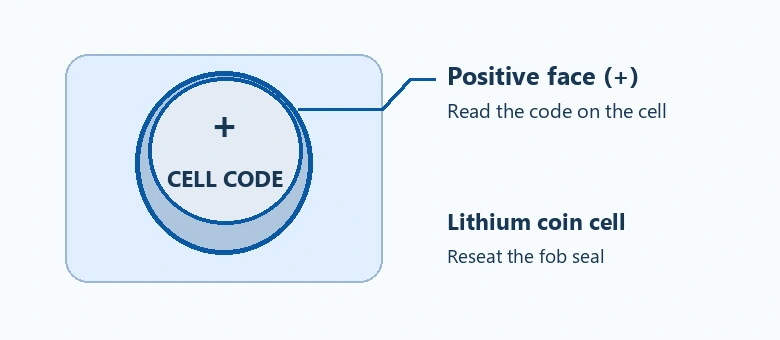
Store new and used coin cells away from children.
| Symptom | Next check |
|---|---|
| Buttons stopped working after battery replacement | Match the cell code and polarity to the manual. Check that the cell is seated and the cover is fully closed. |
| The spare remote still works | Check the first fob and its battery. Test both at the same place near the vehicle. |
| The dashboard says NO KEY FOUND | Put the remote in the vehicle’s designated transmitter pocket. Use the exact pocket position from your manual and start normally. |


