
GMC Key Fob Battery Replacement
Match the remote and model year before you buy a coin cell. Some GMC remotes use CR2032 and others use CR2450.
Find the battery by model and year
| Model and year | Battery | Positive side | Manual |
|---|---|---|---|
| 2012 GMC Terrain | CR2032 | Up | Factory instructions |
| 2013 GMC Terrain | CR2032 | Up | Factory instructions |
| 2014 GMC Terrain | CR2032 | Up | Factory instructions |
| 2015 GMC Terrain | CR2032 | Up | Factory instructions |
| 2024 GMC Terrain | CR2032 | Toward the back cover | Factory instructions |
| 2025 GMC Terrain | CR2450 lithium | Up | Factory instructions · Backup start |
| 2026 GMC Terrain | CR2450 lithium | Up | Factory instructions · Backup start |
| 2023 GMC Acadia | CR2032 | Toward the back cover | Factory instructions |
| 2025 GMC Acadia | CR2450 lithium | Up | Factory instructions |
| 2026 GMC Acadia | CR2450 lithium | Up | Factory instructions · Backup start |
| 2023 GMC Sierra 1500 | CR2450 | Up | Battery and backup start |
| 2024 GMC Sierra 1500 | CR2450 | Up | Battery and backup start |
| 2025 GMC Sierra 1500 | CR2450 | Up | Battery and backup start |
Before opening the remote
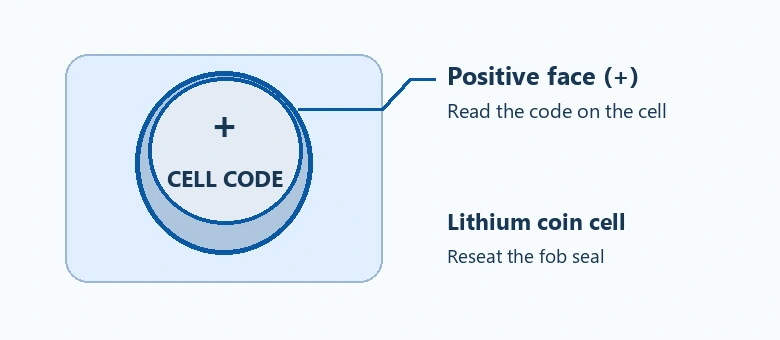
Check the model year and remote style in the illustration. Read the code on the old battery. Use the same cell size and orientation, then close the cover fully and test the buttons at the vehicle.
Keep coin cells out of reach of children. If you suspect a battery was swallowed, seek emergency help immediately.
If the remote still fails
| Symptom | Next check |
|---|---|
| Buttons stopped working after battery replacement | Match the cell code and polarity to the manual. Check that the cell is seated and the cover is fully closed. |
| The spare remote still works | Check the first fob and its battery. Test both at the same place near the vehicle. |
| The dashboard says NO KEY FOUND | Put the remote in the vehicle’s designated transmitter pocket. Use the exact pocket position from your manual and start normally. |


